Find your Wi-Fi name and password
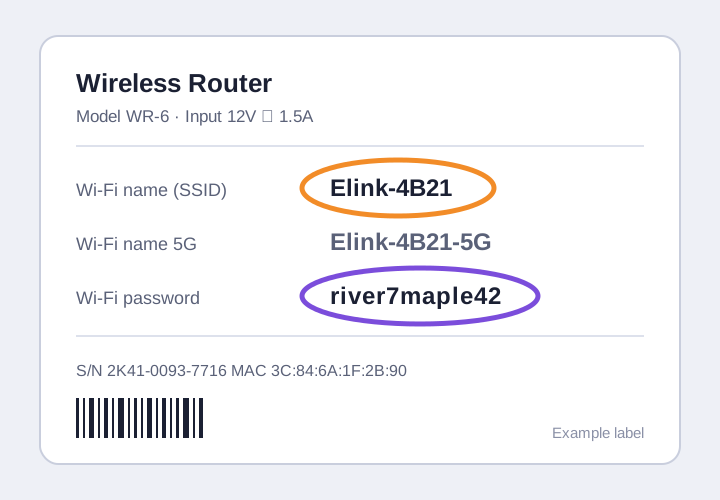
Both are printed on the label on the back of your router.
Steps
Look at the back of your router
You will see two Wi-Fi names (SSIDs): one for 5G and one for standard Wi-Fi.
Use the standard network
Connect to the standard Wi-Fi name and ignore the 5G one for this setup.
Enter the password
Type the password printed on the same label. Passwords are case sensitive.